SupportOrder Management
How to Collect Duties & Taxes at Checkout and Ship DDP
If you're shipping internationally, handling duties and taxes the right way is essential to smooth delivery and a great customer experience. This guide explains how to collect duties and taxes at checkout on Shopify, and how to ensure those orders are shipped properly using Delivered Duties Paid (DDP).
✅ Step 1: Collect Duties and Taxes at Checkout Using Shopify’s Built-In Tools
Shopify offers a built-in feature to automatically calculate and collect duties and import taxes at checkout, removing surprise fees that cause delivery delays or upset customers.
We highly recommend enabling this feature.
👉 Learn how to set it up here:
Shopify Help: Charging Duties and Import Taxes
Once enabled, your customers will pay duties and taxes during checkout—so you won’t get hit with unexpected carrier charges later.
🚚 Step 2: Ship Orders Using a DDP (Delivered Duties Paid) Method
Now that your store collects duties and taxes from the customer, you are responsible for paying those fees to the carrier or customs authority. That means you must use a Delivered Duties Paid (DDP) shipping method, such as DHL Express or UPS International.
This ensures:
- Your customer won’t get billed again on delivery
- There are no surprise customs delays
- You’re fulfilling your promise to cover all import costs
📦 Handled supports a variety of DDP-enabled carrier solutions to make this seamless.
🔁 Step 3: Set Rules So Handled Knows Which Orders Require DDP
Handled needs to know which orders to ship using DDP. There are two easy ways to set this up:
Option 1: All International Orders Use DDP
If you want us to ship all international orders using DDP, just let us know. We’ll apply rules on our side.
Option 2: Tag DDP Orders Using Shopify Flow
If you only want DDP for orders where duties were collected, we recommend using Shopify Flow to automatically tag those orders.
🧠 Shopify Flow Rule: Tag Orders Where Duties Were Collected
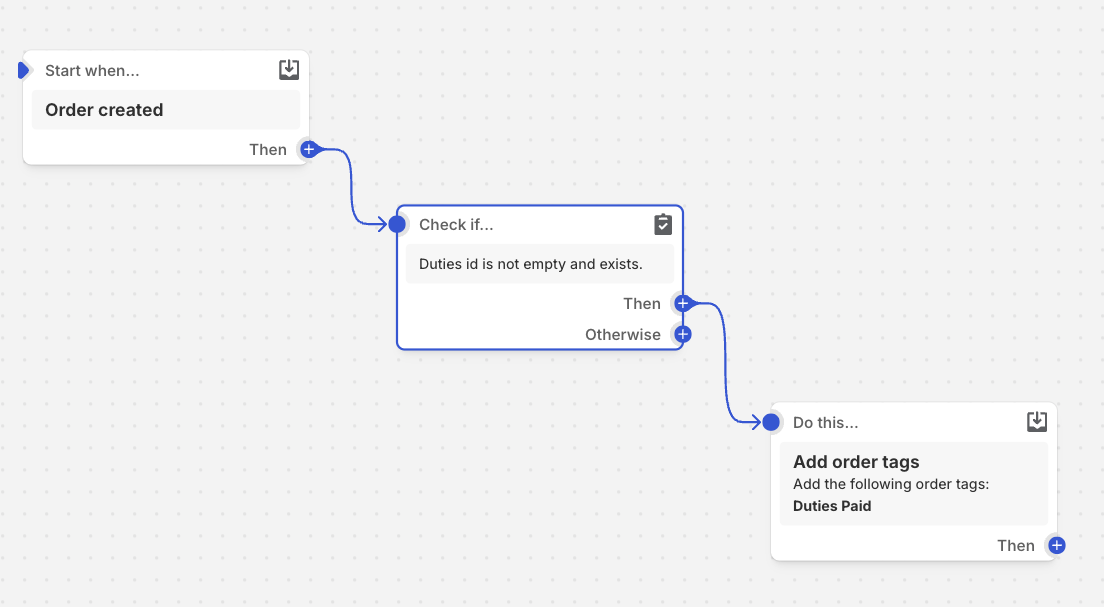
- Trigger:
Order Created - Condition:
Select:
This checks if any line item in the order includes a duty — which means duties were collected at checkout.order/lineItems/duties/id- Condition: is not empty
- Action:
Add order tag→ Tag value:duties_collected
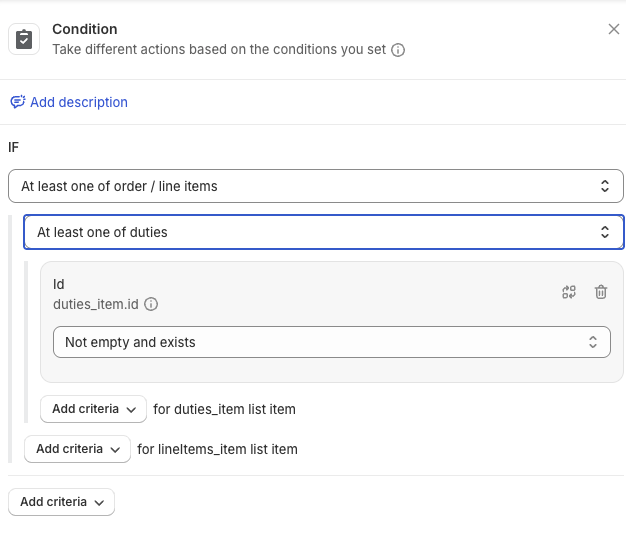
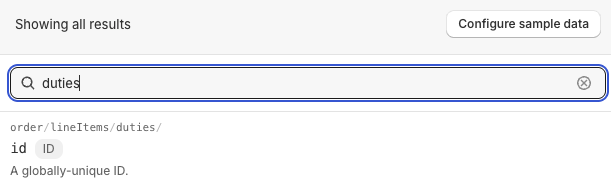
📸 You can find the correct condition by searching “duties” in Shopify Flow and selecting: order/lineItems/duties/id
🤝 Need Help?
Handled can help you:
- Set up duty and tax collection in Shopify
- Configure DDP shipping methods
- Build and test your Shopify Flow rules
- Ensure your international strategy is compliant and cost-effective
Contact us or reach out to your account manager to get started.